
Chrome Dictionary Extension
ftak
Select any word on any page and see its meaning instantly
About ftak
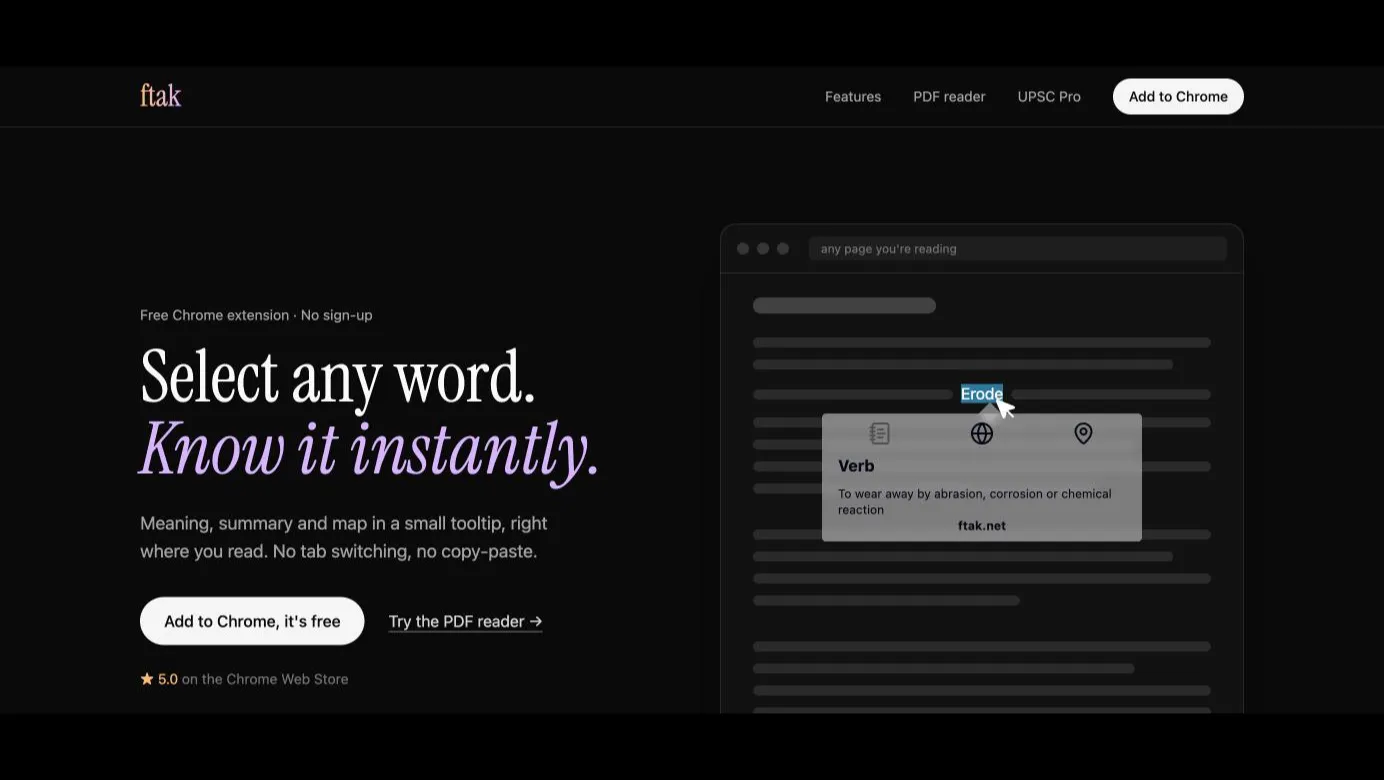
ftak is a free Chrome extension for looking things up without leaving the page you are reading. Double-click or drag over any word or phrase and a small tooltip shows its meaning (grouped by part of speech), a short factual summary from Wikipedia for people, places, events and ideas, and a map preview when the selection is a place. Click away and you are back to reading. No new tabs, no copy-paste, no sign-up. The ftak website also has a PDF reader with the same lookups. For UPSC aspirants, ftak can show related previous-year UPSC questions for text you select in news articles (a few free every day, sign in for more). I am a solo maker and built ftak to help friends preparing for UPSC. It is just as useful for anyone researching a topic or writing a story.
What ftak is used for
- Students looking up unfamiliar words in online articles
- UPSC aspirants reading the news
- Researchers checking people, places and events while reading
- People reading in a second language
- Writers checking facts while drafting
ftak pricing
Free. Word lookups need no account. UPSC previous-year questions: a few free every day, more after signing in.
ftak alternatives
Tools the builder names as the closest alternatives.
- Google Dictionary (by Google)
- Dictionary Anywhere
Upvotes over time
Last 24 hoursLaunched the same week

AFFLIGO
Crush your file problems
Murmur
Private AI Dictation for Mac. Talk. It types.

Restore Old Photos - Retrocap
Restore Old Photos with AI – Fix, Colorize & Enhance

TraceUX
Free & Unlimited Session Replay and UX Suite

LassoCrop
Cut Out Any Shape Online with Ease

BaZi Atlas
Four Pillars of Destiny chart calculator
0 comments
No comments yet. Sign in to start the conversation.