Launching soon
This product goes live on November 9, 2026 at 12:00 AM UTC. Upvotes and comments open at launch.

Find Lost Files By Describing
Trailback
Can't find it? Just describe it. 100% offline.
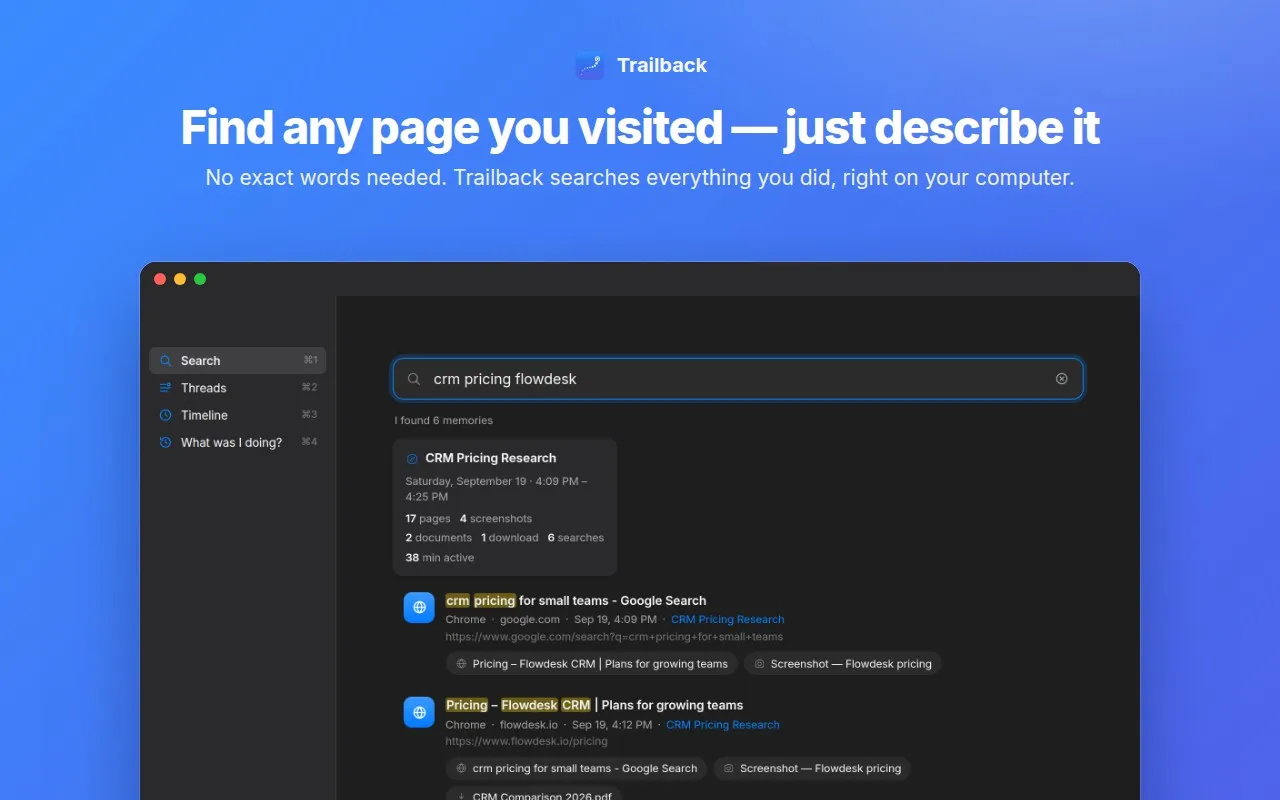
About Trailback
Trailback finds anything on your computer when you can't remember its name or where you saved it. Just describe it in your own words. It quietly remembers what you do: the websites you visit, the files and PDFs you open, your downloads, screenshots, photos, copied text and notes. It even reads the words inside PDFs, documents and screenshots. So when you think "that invoice PDF I downloaded last week" or "the pricing page I saw on Tuesday", you type that and Trailback shows it. Everything stays on your computer. Trailback works fully offline, has no account and no cloud, and never sends your data anywhere. It also skips passwords, keys, codes and card numbers you copy. What you get: - Search by description, with filters for files, web pages, screenshots, photos and videos, downloads, apps, copied text and notes - A timeline and "What was I doing?" view to retrace your day - Free browser extensions for Chrome, Edge, Firefox, Safari, Brave and Comet - Open it from any app with Option + Space (Mac) or Alt + Shift + Space (Windows) - Light and dark themes Available for Mac (download from trailback.app) and Windows (Microsoft Store). One payment, yours forever.
What Trailback is used for
- Finding a PDF you downloaded but can't remember the name.
- Getting back to a web page you closed days ago.
- Finding a screenshot by the words in it.
- Recovering something you copied earlier but didn't save.
- Seeing what you worked on yesterday or last week.
Trailback pricing
$5 one-time payment (launch price, normally $29). One license per computer, yours forever. No subscription and no account. Mac from trailback.app, Windows from the Microsoft Store.
Trailback alternatives
Tools the builder names as the closest alternatives.
- Microsoft Recall
- Rewind
- Screenpipe
- Spotlight
- Everything
Trailback FAQ
- Does my data leave my computer?
- No. Trailback works fully offline. Everything it remembers stays on your computer, and nothing is sent to any server or cloud.
- What does Trailback remember?
- Websites you visit (with the free browser extension), files and PDFs you open, downloads, screenshots, photos and videos, copied text and notes. It also reads the words inside PDFs, documents and screenshots.
- Does it work on Mac and Windows?
- Yes. Download the Mac app from trailback.app, or get the Windows app from the Microsoft Store.
- Is it a subscription?
- No. It's a one-time payment of $5 for one computer, and it's yours forever.
- Does it save my passwords?
- No. Trailback skips passwords, keys, codes and card numbers when you copy them.
1 comment
Hi all! I built Trailback because I kept losing PDFs. Screenshots. Web Pages. Files. Now I just describe it and it shows up. Everything stays offline on your computer. Would love your feedback!