Build a Flashcards App with GitHub SpecKit + VS Code Codex (Spec-Driven Tutorial)
Обновлено 15 октября 2025 г.
SpecKit + Codex tutorial building a Flashcards app
In this post, we’ll build a local Flashcards app using GitHub SpecKit + the Codex VS Code extension. We’ll follow the Spec-Driven Development flow end-to-end: Specify → Plan → Tasks → Implement.
Why SpecKit for this project? #why-speckit-for-this-project
Ad-hoc prompting can make outcomes fuzzy. SpecKit keeps things simple: write a spec, turn it into a technical plan, break it into tasks, and let your coding agent implement small, testable slices with you in the loop.
Prerequisites #prerequisites
- VS Code with the Codex extension (sign in with your ChatGPT account).
- Git, Python 3.11+, and uv (package/launcher).
- macOS, Linux, or Windows (WSL recommended for best Codex experience on Windows).
Public repo: https://github.com/nicklaunches/flashcards-speckit
Install Specify CLI #install-specify-cli
Persistent install (recommended):
uv tool install specify-cli --from git+https://github.com/github/spec-kit.git
specify check
Init project wired to Codex #init-project-wired-to-codex
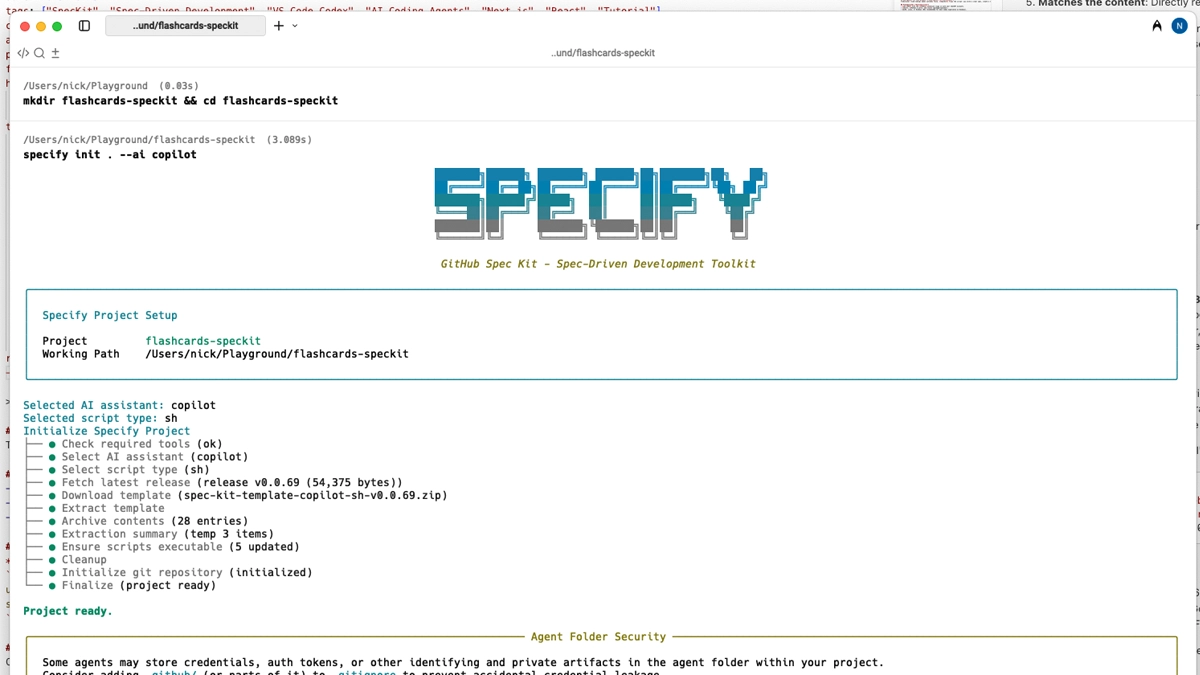
Create a folder and initialize SpecKit for Codex:
mkdir flashcards-speckit && cd flashcards-speckit
specify init . --ai copilot
# Windows users can add: --script ps
Open the folder in VS Code and confirm the Copilot panel is signed in.
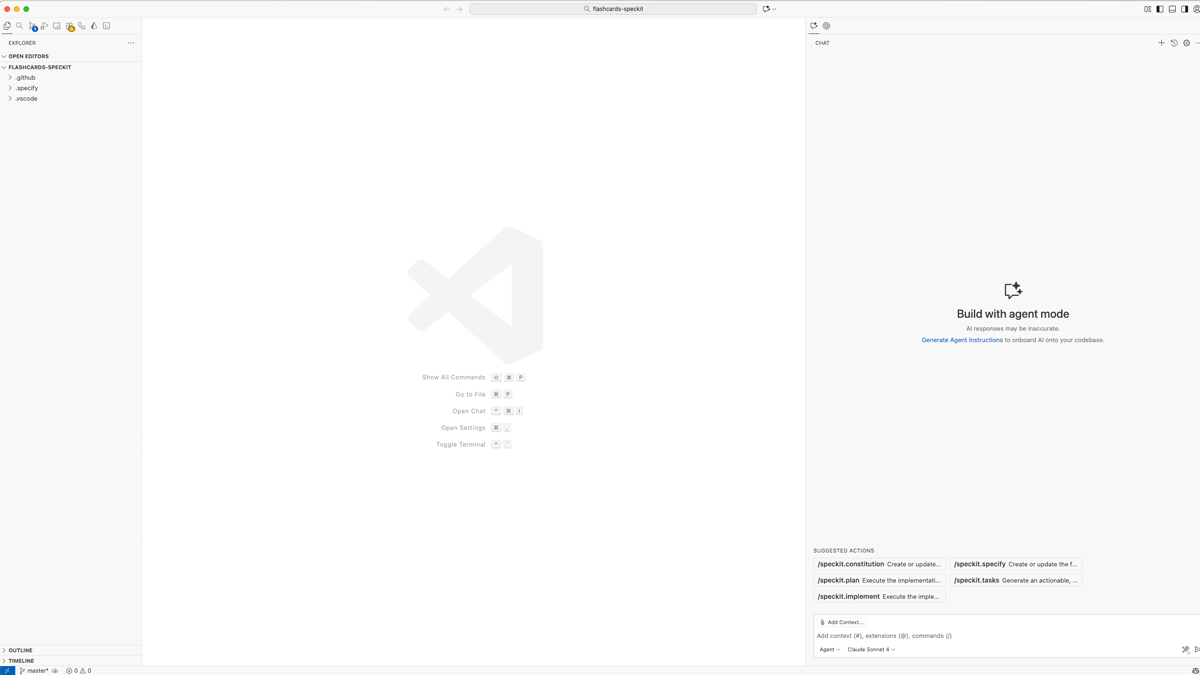
Set guardrails: Constitution #set-guardrails-constitution
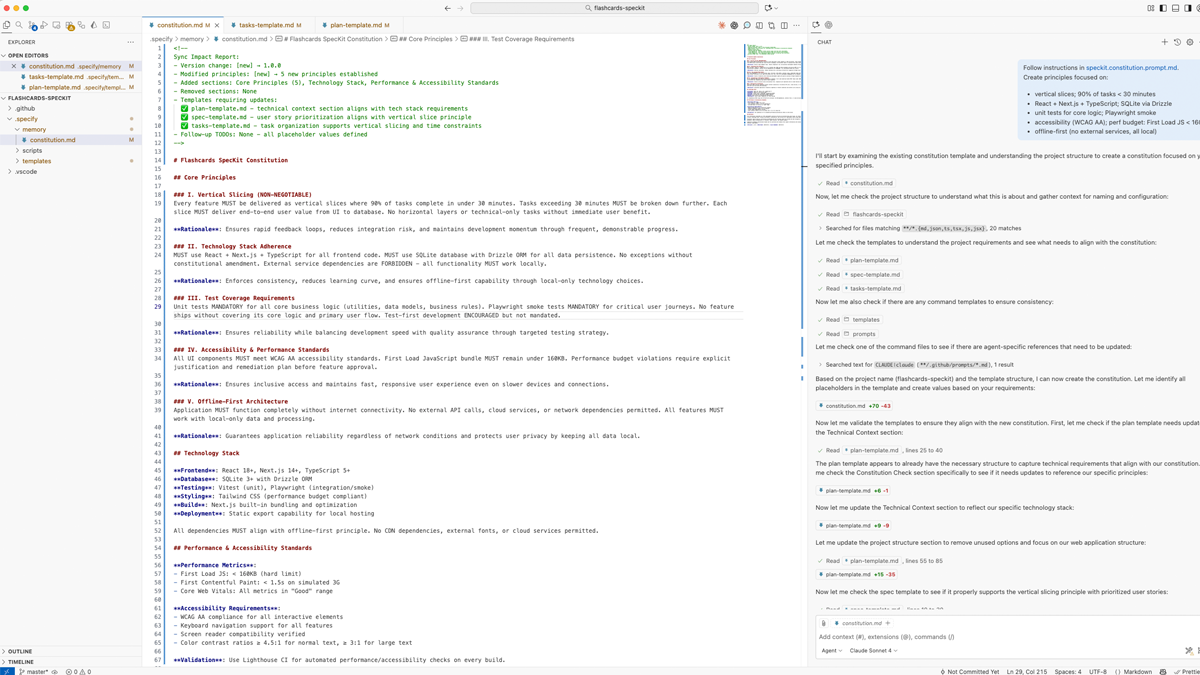
In Copilot chat, run:
/speckit.constitution
Create principles focused on:
- vertical slices; 90% of tasks < 30 minutes
- React + Next.js + TypeScript; SQLite via Drizzle
- unit tests for core logic; Playwright smoke
- accessibility (WCAG AA); perf budget: First Load JS < 160KB
- offline-first (no external services, all local)
This creates/updates a constitution file that future steps must follow.
Write the Spec (what and why) #write-the-spec-what-and-why
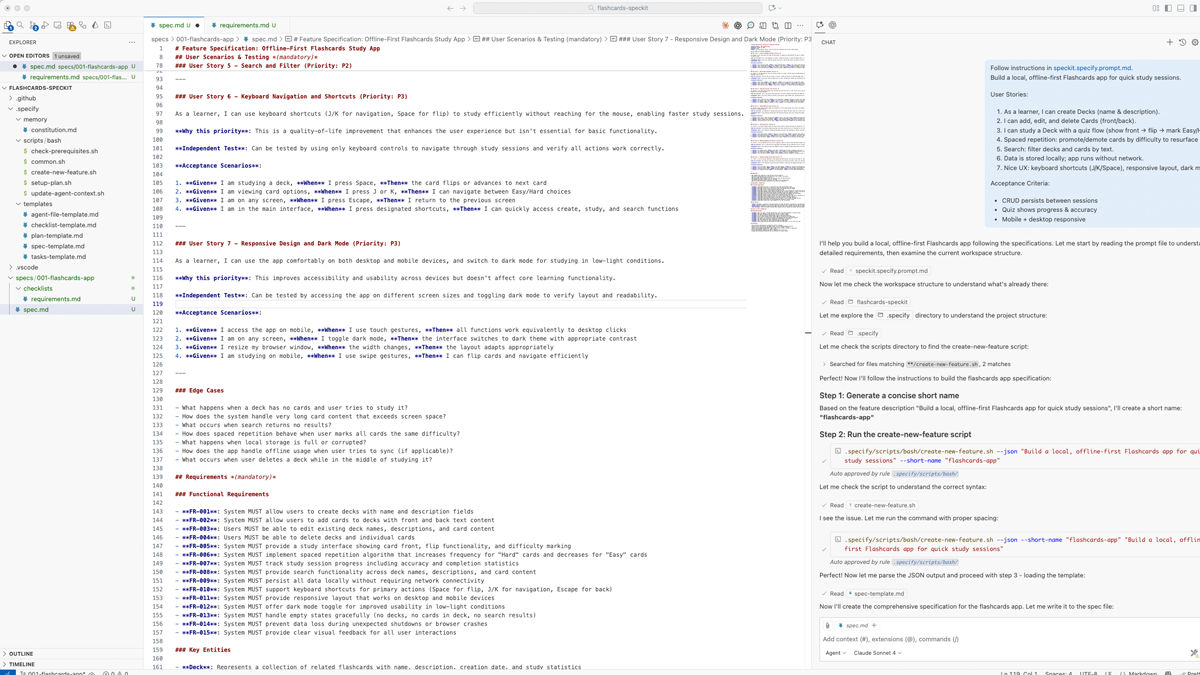
/speckit.specify
Build a local, offline-first Flashcards app for quick study sessions.

User Stories:
1) As a learner, I can create Decks (name & description).
2) I can add, edit, and delete Cards (front/back).
3) I can study a Deck with a quiz flow (show front → flip → mark Easy/Hard).
4) Spaced repetition: move cards between difficulty buckets to resurface later.
5) Search: filter decks and cards by text.
6) Data is stored locally; app runs without network.
7) Nice UX: keyboard shortcuts (J/K/Space), responsive layout, dark mode.

Acceptance Criteria:
- CRUD persists between sessions
- Quiz shows progress & accuracy
- Mobile + desktop responsive
Keep it focused on what/why. Save tech choices for the next phase.
Create the Technical Plan (how) #create-the-technical-plan-how
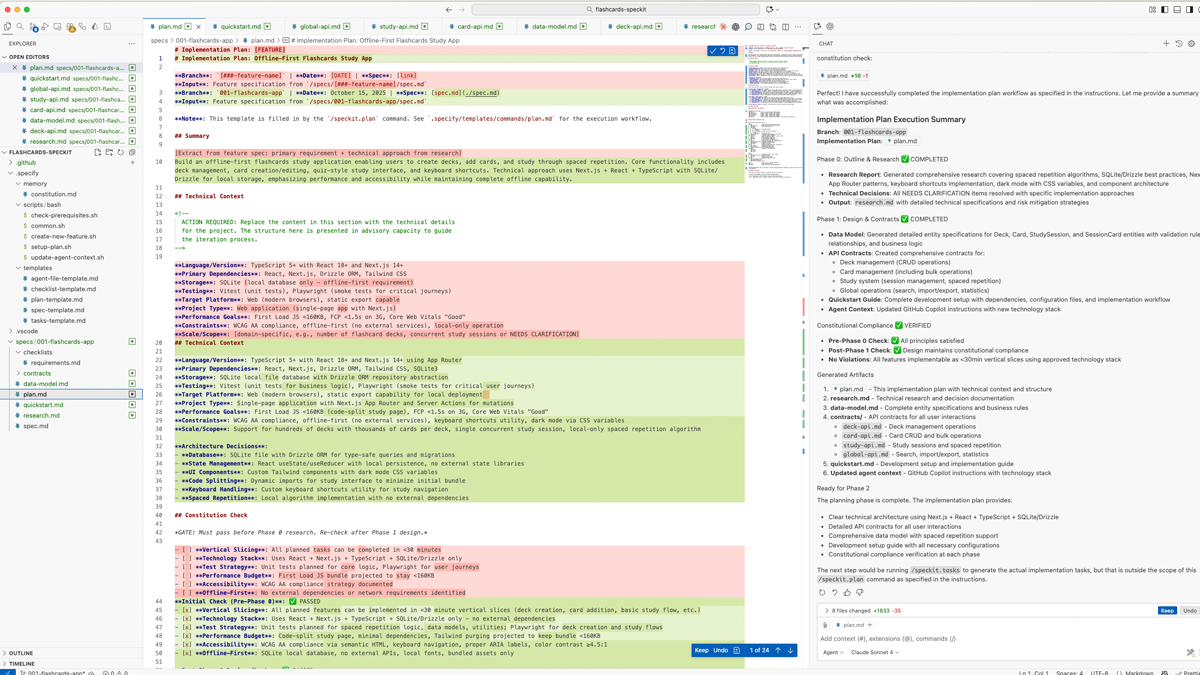
/speckit.plan
Tech & Architecture:
- Next.js + React + TypeScript; Tailwind for UI
- SQLite file DB with Drizzle ORM; repository abstraction
- App Router; Server Actions for mutations
- Unit: Vitest; E2E: Playwright (smoke flows)
- Keyboard shortcuts util; dark-mode via CSS variables
- Code-split study page; keep bundle small
This becomes the blueprint Codex will follow.
Break it into Tasks #break-it-into-tasks
/speckit.tasksExpect a generated tasks.md with ordered steps, file paths, and test stubs. Optional quality passes:
/speckit.clarify: tighten underspecified bits/speckit.analyze: cross-check spec ↔ plan coverage/speckit.checklist: generate a QA checklist (“unit tests for English”)
Implement with Codex #implement-with-codex
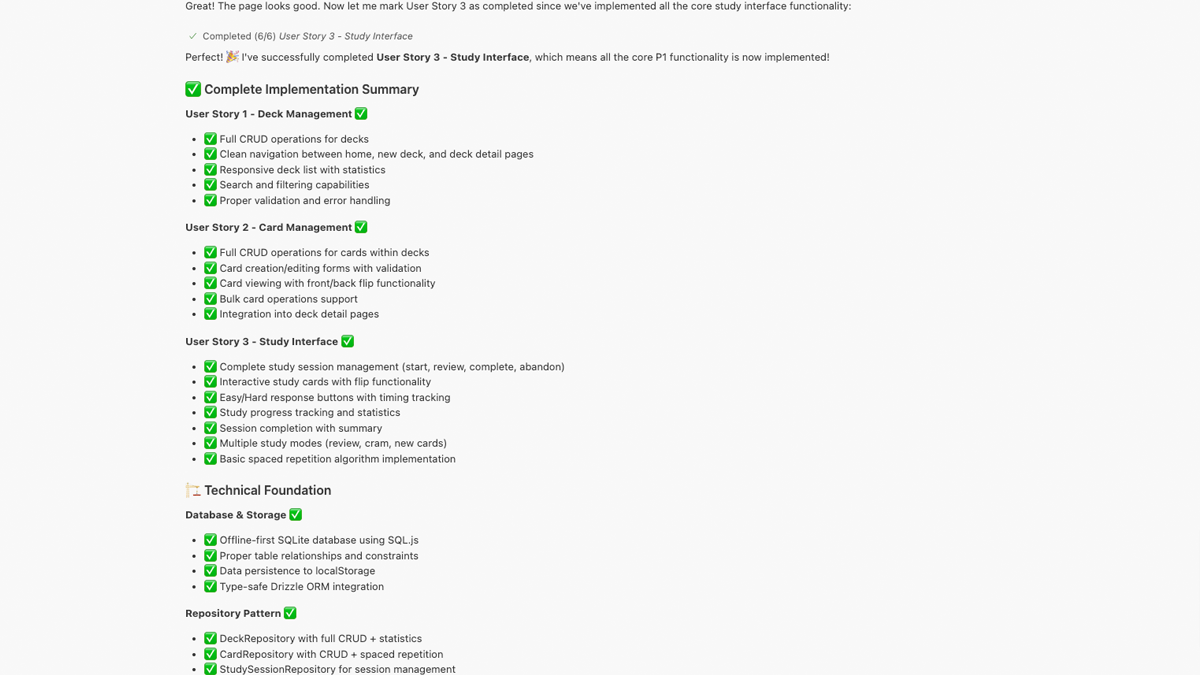
/speckit.implementCodex follows tasks.md to scaffold the app, write code, and wire tests under your approvals.
Run and test #run-and-test
pnpm i
pnpm dev
# open http://localhost:3000
Once you’ve completed all tasks from the plan: Try: create Deck → add Cards → hit Study → use J/K/Space during quiz.
Add spaced repetition #add-spaced-repetition
Ask Codex to extend the feature:
/speckit.tasks
Add scheduler:
- Each card has difficulty bucket (1..3)
- EASY → +1 bucket (max 3); HARD → −1 (min 1)
- Session pulls more from lower buckets
- Persist lastReviewed, nextDue
Then run /speckit.implement again.
Recommended repo structure #recommended-repo-structure
flashcards-speckit/
  .specify/          # spec, plan, tasks, research artifacts
  .github/           # prompts/templates added by SpecKit
  app/               # Next.js routes & UI
  db/                # drizzle schema + seed
  tests/             # unit + e2e
  README.md
Troubleshooting #troubleshooting
- Slash commands don’t appear in the Codex menu: ensure you initialized with
--ai codex, you’re in the project root, and Codex CLI/extension is up to date. If only/speckit.constitutionshows, update tools and templates; some agent integrations get fixes over time. - Agent checks failing: add
--ignore-agent-toolstospecify initto skip checks and fetch templates anyway. - Windows: Codex is experimental on Windows. Use WSL for best results.
Next ideas #next-ideas
- Import/export decks as JSON
- Markdown support on card faces
- Image cards
- Streaks + stats view
- “Study again” smart deck using
nextDue
Sources #sources
- SpecKit repo (README: install, agents, slash commands): https://github.com/github/spec-kit
- GitHub blog: Spec-driven development with AI: Get started with a new open-source toolkit: https://github.blog/ai-and-ml/generative-ai/spec-driven-development-with-ai-get-started-with-a-new-open-source-toolkit/
- GitHub blog: Spec-driven development: Using Markdown as a programming language: https://github.blog/ai-and-ml/generative-ai/spec-driven-development-using-markdown-as-a-programming-language-when-building-with-ai/
- Codex IDE extension docs: https://developers.openai.com/codex/ide/